
FormulaShare allows you to apply sharing rules to a specific record on demand, without waiting for a scheduled batch job or setting up real-time processing. This is useful when you want to immediately see the effect of a rule on a particular record, or to investigate why a record is (or isn't) shared as expected.
How to Access
There are two ways to trigger rule application for a specific record.
From the FormulaShare Rules List
The FormulaShare Rules tab offers row actions for applying rules to a record of your choice:
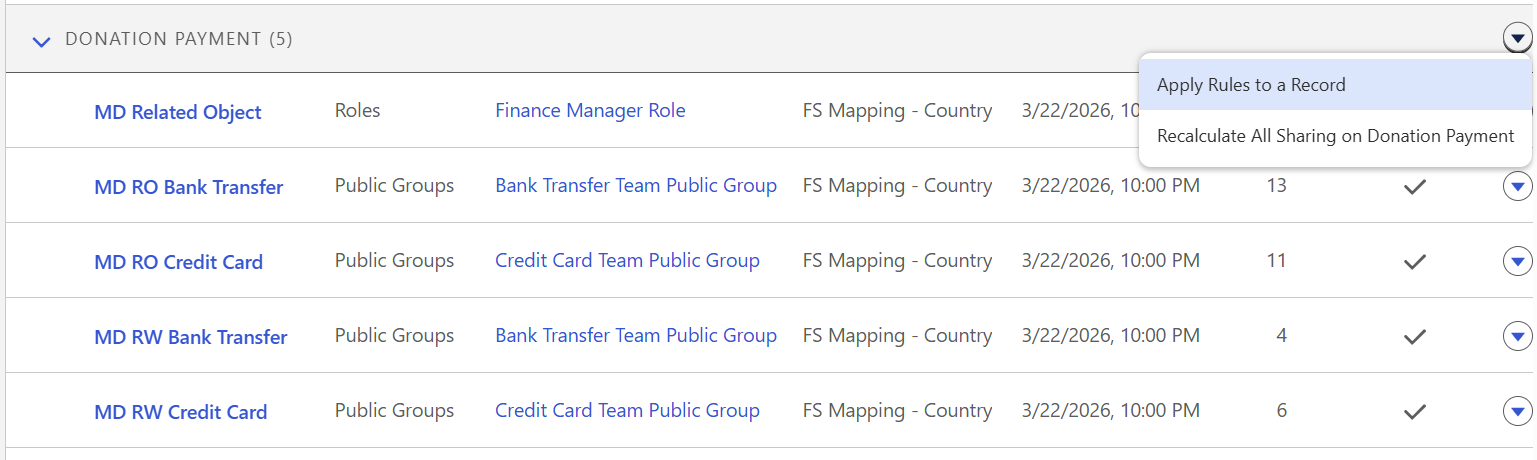
From a Record Log
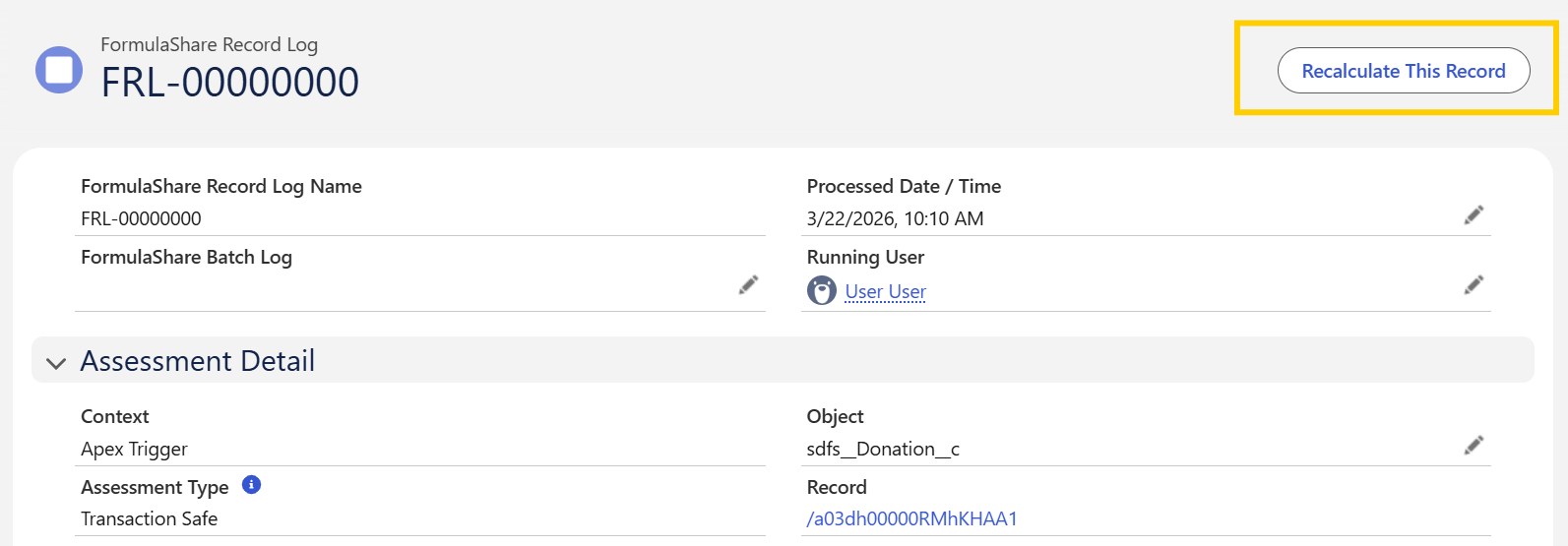
On any FormulaShare Record Log record, a Recalculate This Record quick action is available in the record header. Clicking this opens the dialog with the relevant record already populated – useful when reviewing a log and wanting to immediately reprocess the same record.
The Apply Rules Interface
Once opened, the interface guides you through selecting a record and choosing which rules to apply.
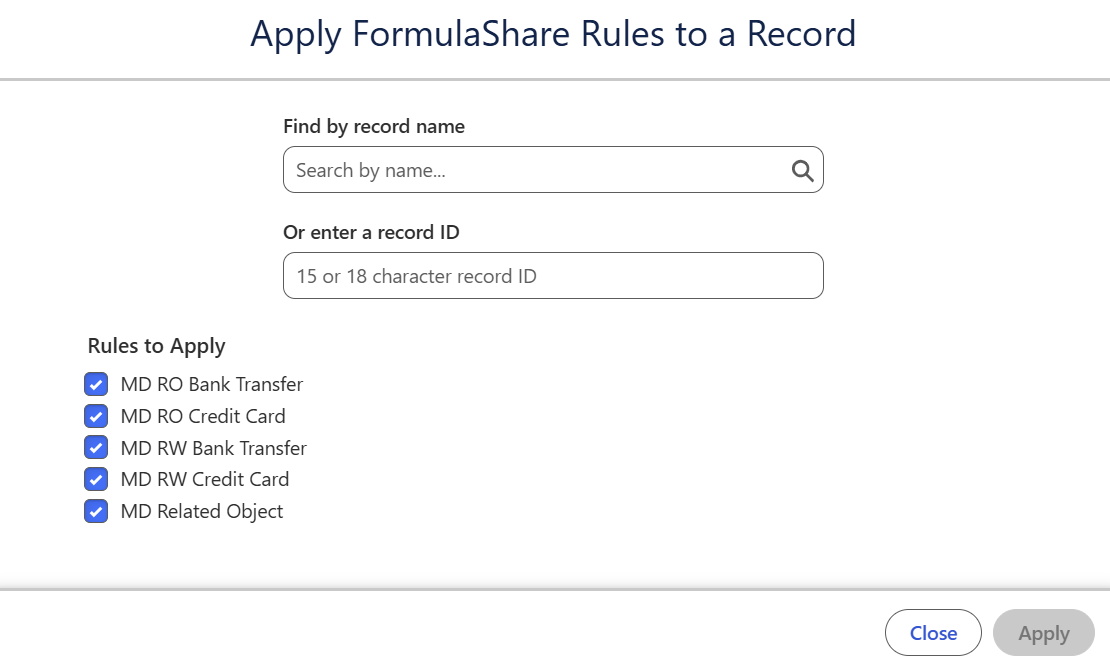
Selecting a Record
If the dialog was opened from the Rules List, use the search field to find and select the record you want to process. If opened from a Record Log, the record is pre-populated. Either the record name or the 15 or 18 character record id can be used to find the record.
Selecting Rules
All active rules for the object are listed with checkboxes. By default all rules are selected. Uncheck any rules you do not want to include in this assessment.
If the dialog was opened from a rule row action, only that specific rule will be pre-selected.
Running the Assessment
Click Apply Rules to start the assessment. FormulaShare processes the record and displays the results:
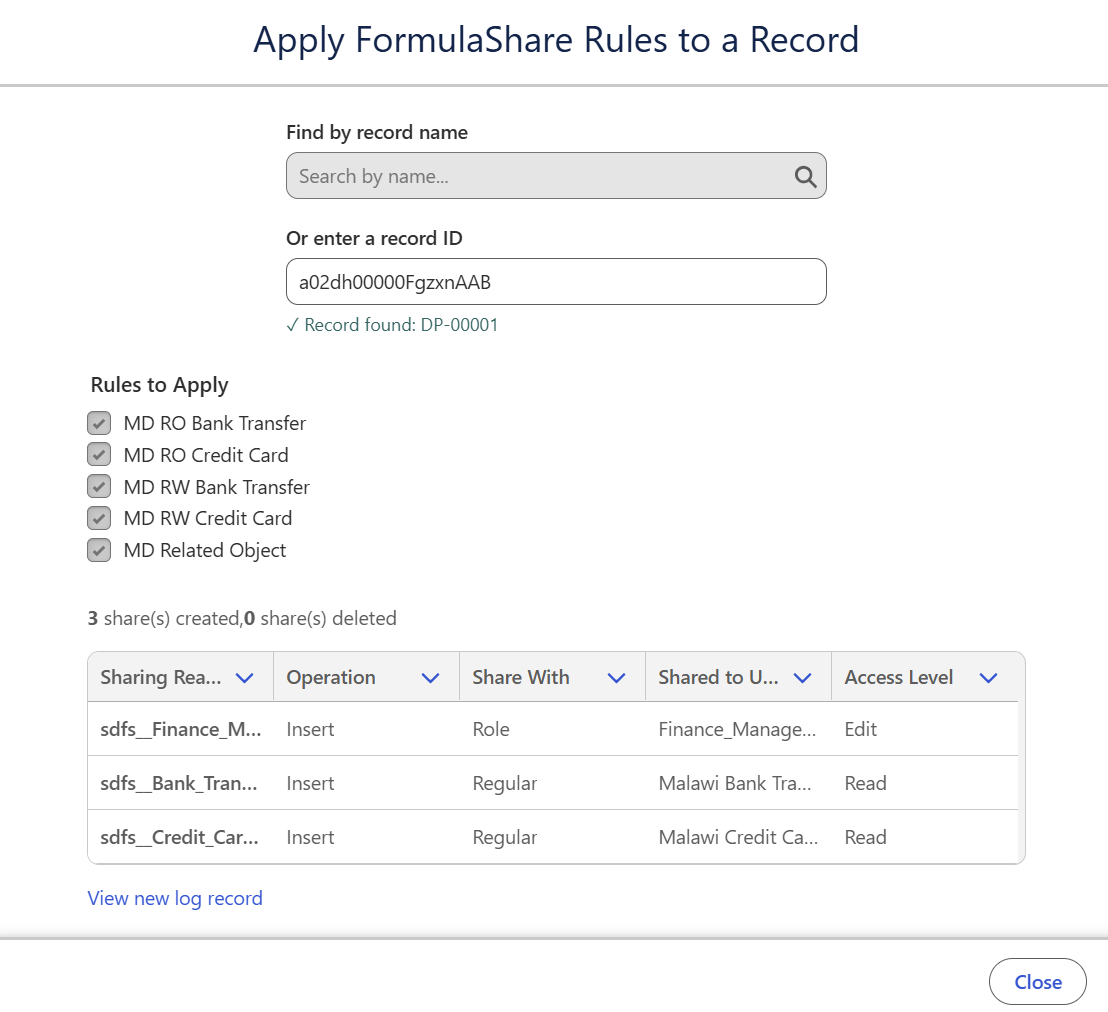
- Summary: Shows counts of share records inserted, deleted, and any errors encountered.
- Share operations: A table showing each individual share operation attempted, including:
- Whether the share was inserted or deleted
- The operation status (success or error)
- The share reason and access level granted
- The user, group, or role the record was shared to
- Log record link: Once processing completes and the log record is created, a link to the new Record Log is displayed so you can review the full audit trail.
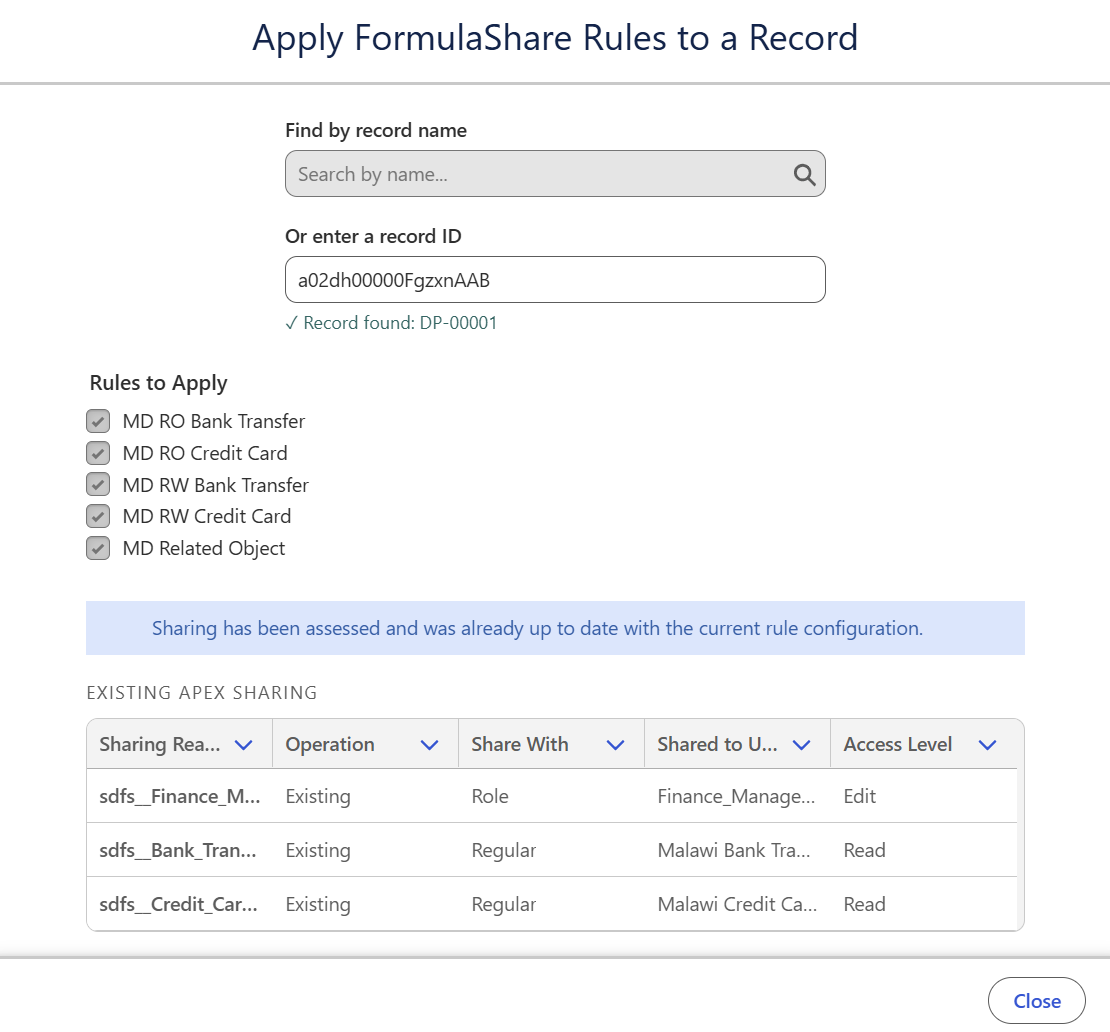
If sharing is already up-to-date with the existing rules, a summary of all existing sharing will be shown:
Notes
- Assessment is run under the permissions of the current user. To apply sharing changes the user requires full access to the shared record (provided by ownership or Modify All permission on the record), and read access to all records and fields involved in the rule. Without this level of access, an error will be returned indicating sharing changes could not be applied.
- Processing triggered from the UI is logged with the context Requested via UI. This appears in the Context field of the resulting Record Log alongside the other context values described in FormulaShare Logs.
Related Articles: