
Major Release
The Spring '26 release brings significant new capabilities to FormulaShare, with a focus on flexible, data-driven sharing models that scale with complex organisations. This release introduces teams-based sharing, attribute-based access control (ABAC), territory sharing, cross-object rule filtering, and a range of performance and usability improvements.
This article covers all changes included in version 5.0.
Key Features
Teams-Based Sharing
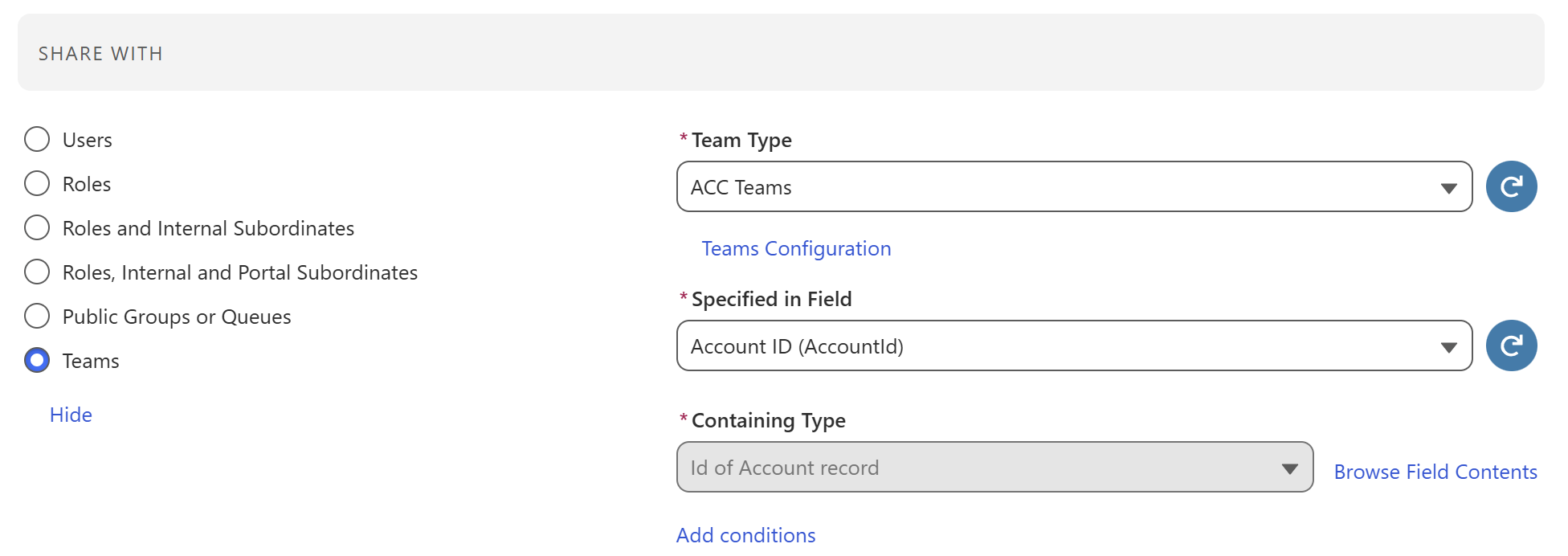
FormulaShare now supports a dedicated rule type for sharing records to teams defined in your data model. Teams can be hierarchical, users can belong to multiple teams, and records can be shared through direct or indirect relationships with the team.
Rather than requiring a specific data structure, FormulaShare maps to your existing team objects, so there's no need to change your data model. FormulaShare creates and manages a public group or queue for each team, keeps membership in sync as people join or leave, and supports hierarchy cascading (parent-to-child or child-to-parent), cross-team affiliations, and role-based membership.
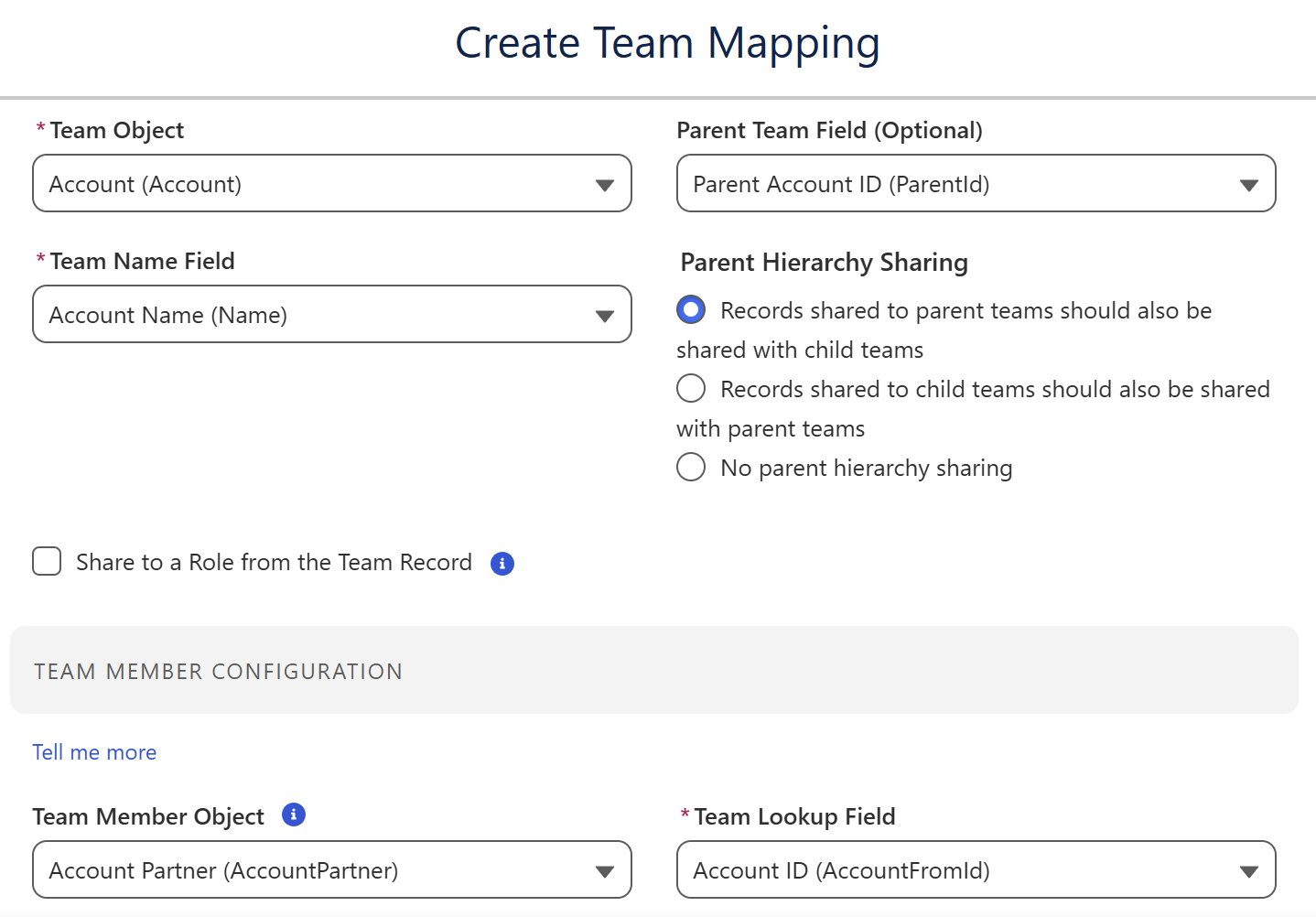
Just one application of this could be to map Salesforce's Account Teams or Opportunity Teams into FormulaShare's team structure, allowing you to share any object to Account or Opportunity Teams associated with the record.
In addition to supporting custom mappings, new objects for Team, Team Member and Team Affiliation together with a standard mapping are included, which can be used for new sharing models without additional configuration needed.
Key details:
- Define team and team member objects, with optional mappings to existing structures
- Hierarchical cascading supported in both directions
- Users can belong to multiple teams
- Group membership updates are logged for auditability
- Group changes are applied by daily batch jobs, and can be configured to happen in real time using packaged trigger methods
- Batch job processing and creation/deletion of groups and their members is fully logged, with new logging objects corresponding to group and member level changes
Learn more:
- Team Mappings Data Model
- How Team Sharing Rules Work
- Team Sharing Examples
- Trigger Setup for Group Updates
- Batch Reassessment of Groups
- Group Management Logs
Share to Users Based on Field Matching (ABAC)
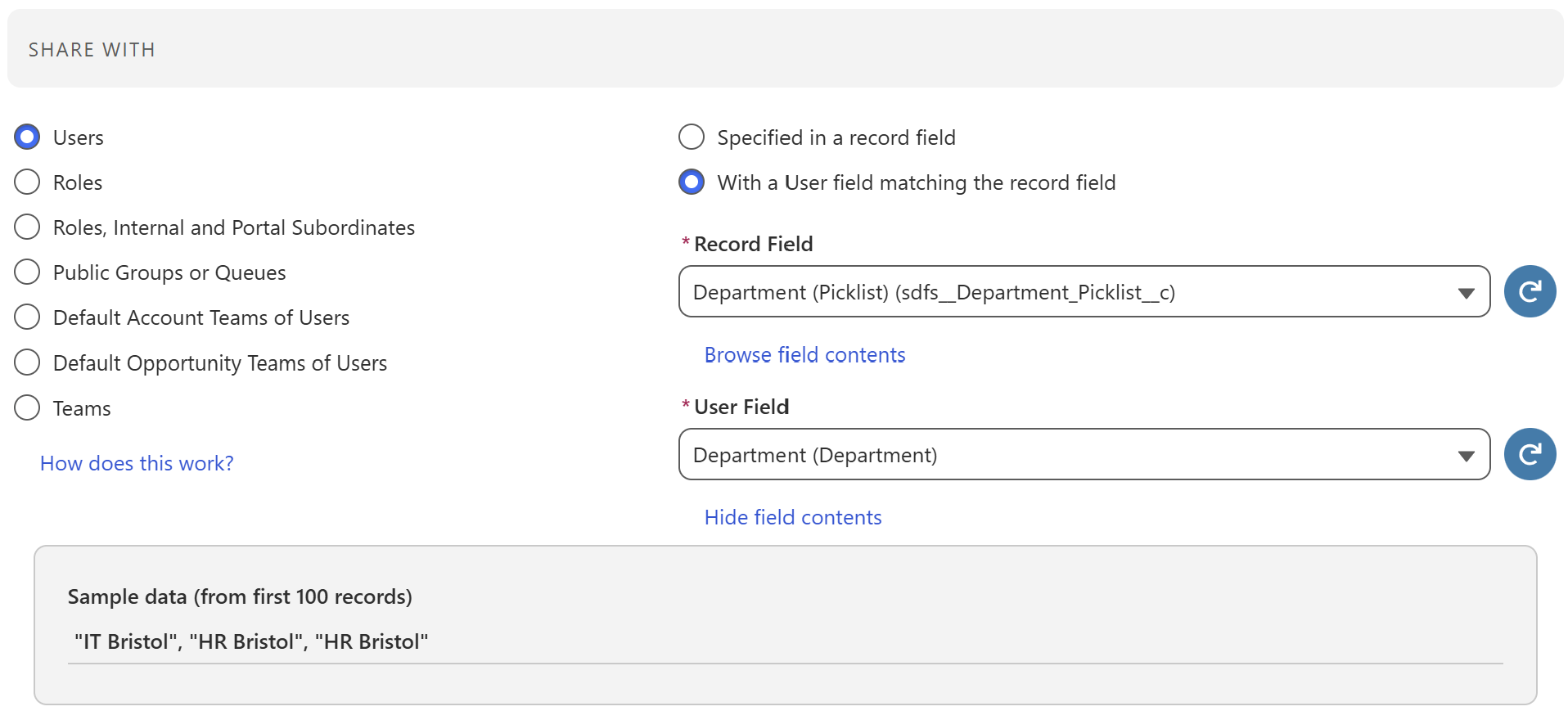
Attribute-based access control is now available natively in FormulaShare. Rules can share records to individual users when a specified field on the User object matches a field on the shared record -- for example, sharing all records with Region = "EMEA" to every user whose Region field also equals "EMEA".
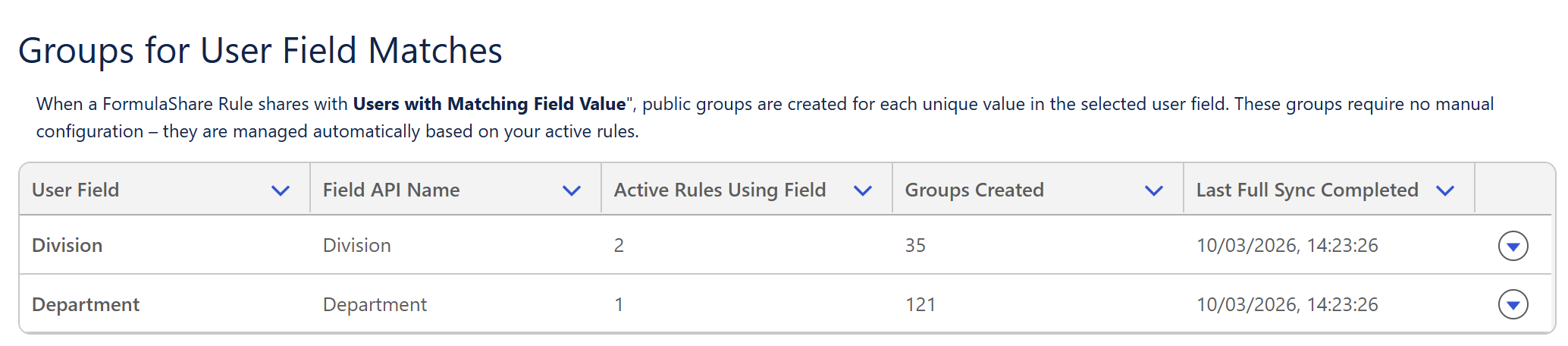
FormulaShare creates one public group per distinct value, populates it with matching users, and shares records to the correct group -- all managed automatically. No manual group maintenance, no custom sharing objects, and no code required.
This is well suited to region-based, department-based, or clearance-level access patterns common in regulated industries.
Learn more:
Share to Territories (ETM)
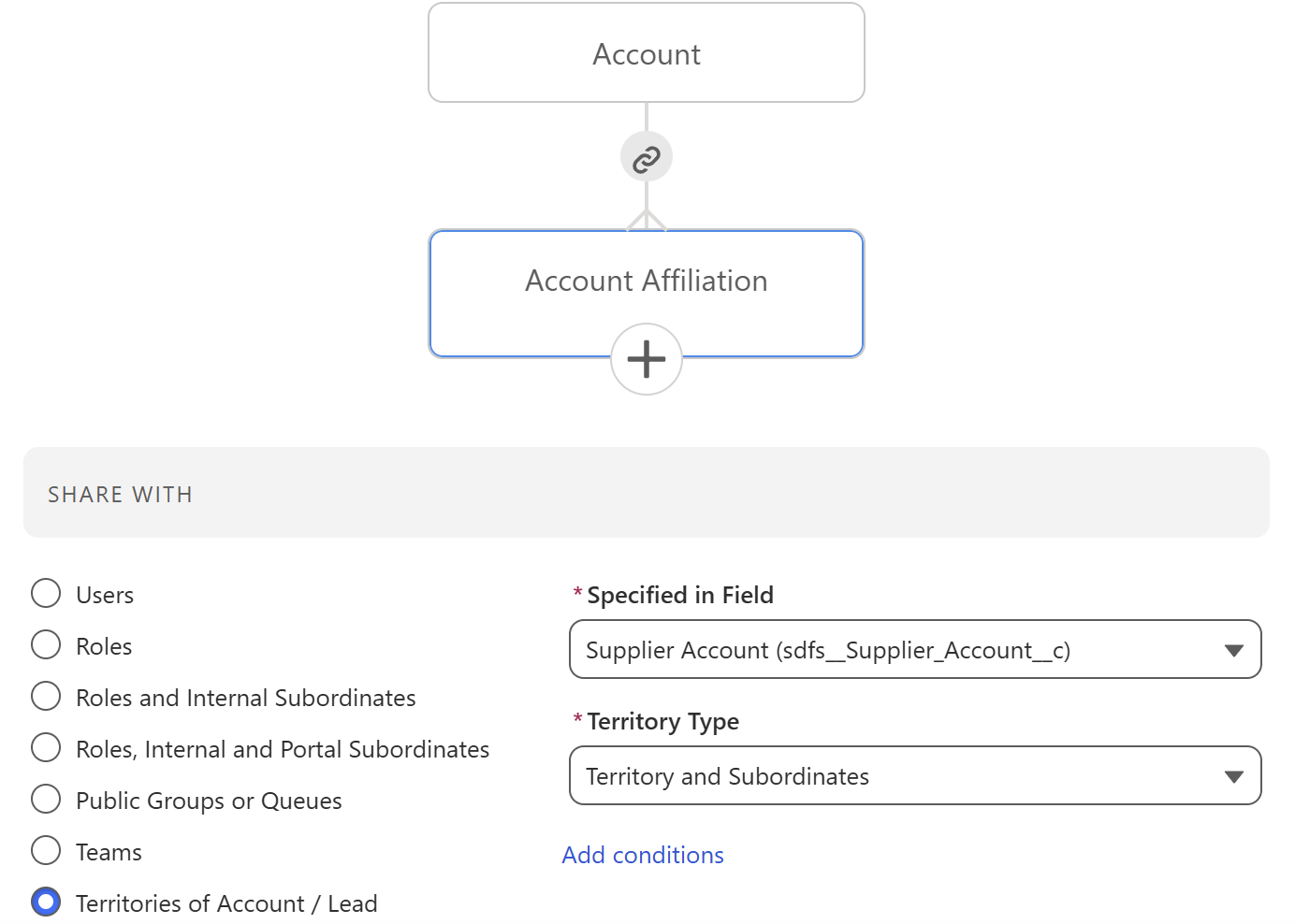
FormulaShare rules can now share records to Salesforce Enterprise Territory Management (ETM) territories. This extends territory-based access to any standard or custom object -- not just Accounts and Opportunities.
Rules support sharing based on an object's relationship to Account or Lead. Rules will apply sharing for all territories associated with the Accounts and Leads identified through the relationship in the rule.
Learn more:
Rule Filtering
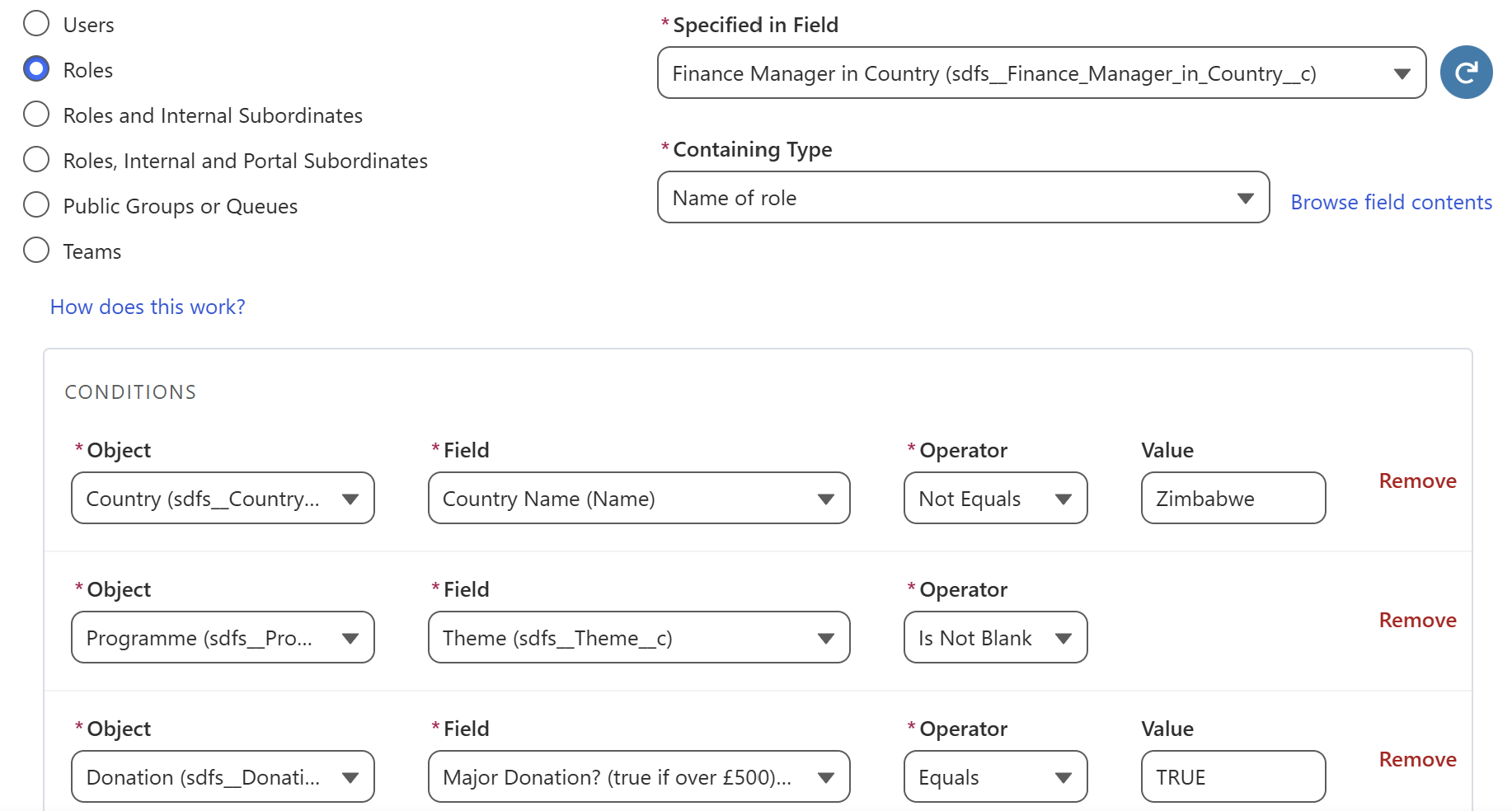
FormulaShare rules now support filter conditions on the shared object and, for cross-object rules, any other objects involved in the definition of the rule. This means sharing can be limited to records that meet specific criteria at every level of the relationship chain.
Filters on child objects are pushed into the database query, which also improves performance by excluding irrelevant records earlier in the calculation.
Learn more:
Performance and Reliability
Configurable Batch Size Overrides
Batch sizes used during sharing calculations can now be controlled at three levels:
- App-level -- set a default batch size for all objects
- Object-level -- override the batch size for specific objects that need different tuning
- Targeted calculation jobs -- set the batch size for individual targeted jobs
This is particularly useful in high-volume orgs where certain objects require smaller batch sizes to stay within governor limits, or where larger batches improve throughput.
Learn more:
Control Processing Order in Full Recalculations
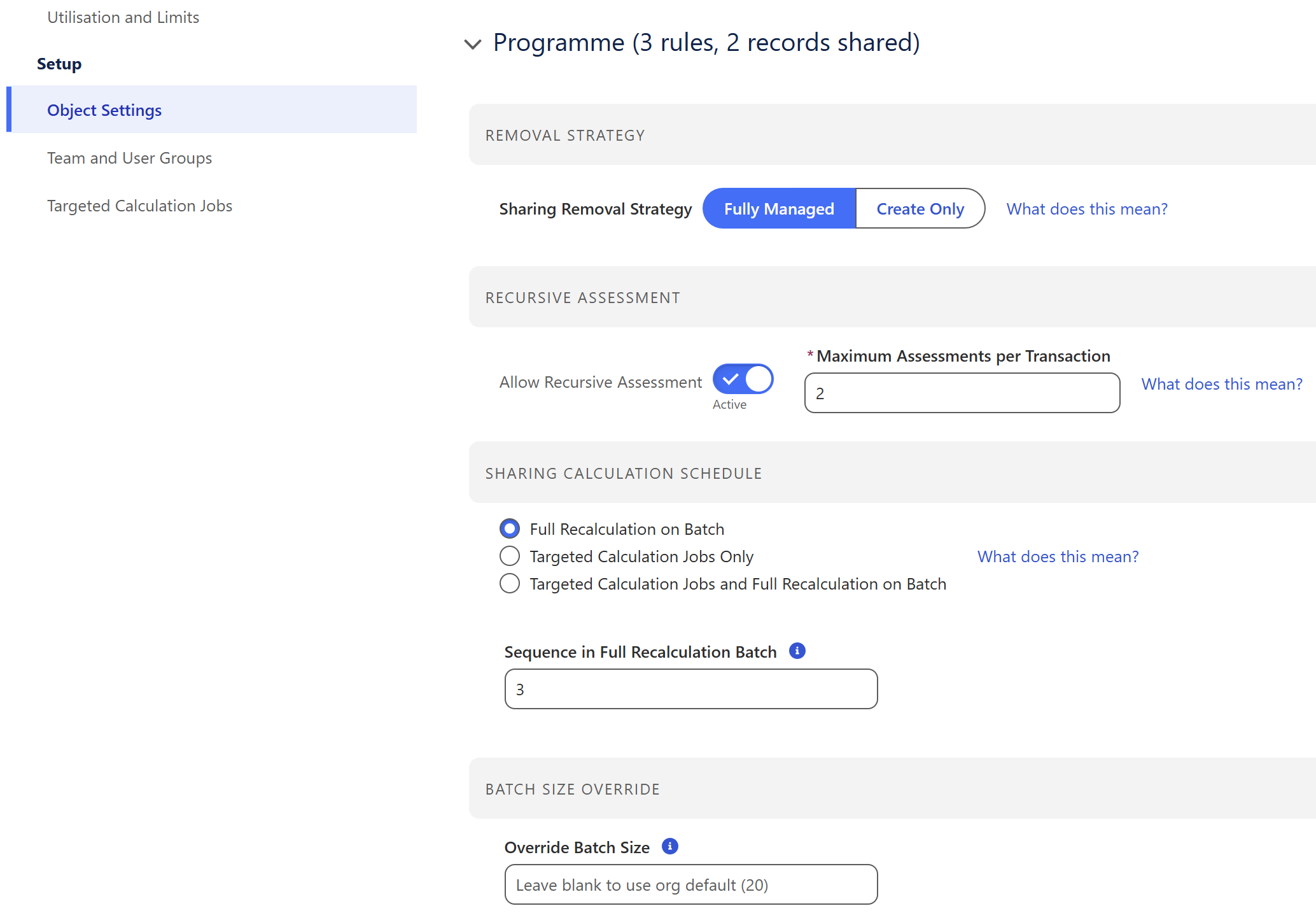
A new Sequence field on object settings allows you to define the order in which objects are processed during a full sharing recalculation. This ensures critical sharing rules are assessed first and reduces the risk of conflicts with other automation running in the org.
Learn more:
Safer Handling of Large Sharing DML Operations
FormulaShare now checks the volume of sharing records before attempting DML. If a single transaction would exceed the platform limit (generally 10,000 records), FormulaShare logs an error with details rather than attempting the operation and failing mid-transaction. This makes troubleshooting clearer and avoids partial commits in large recalculations.
Usability Improvements
Guided Permission Set Assignment on First Use
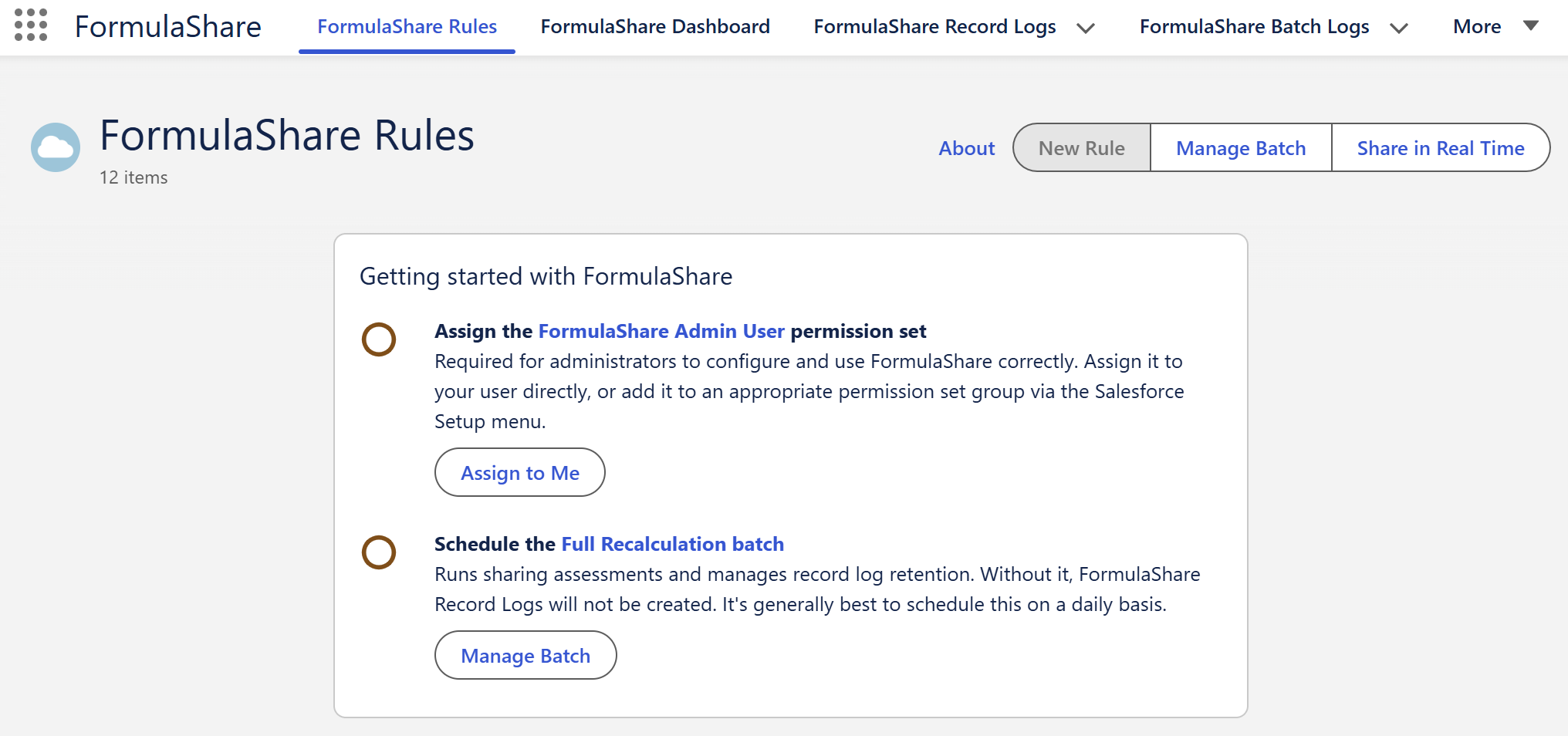
When FormulaShare is first accessed, a prompt now guides the user through assigning the required permission set. If the permission set is missing or incomplete, a persistent indicator is displayed in the UI -- reducing setup friction and ensuring FormulaShare functions correctly from first use.
Learn more:
Request Recalculation from a Log Record
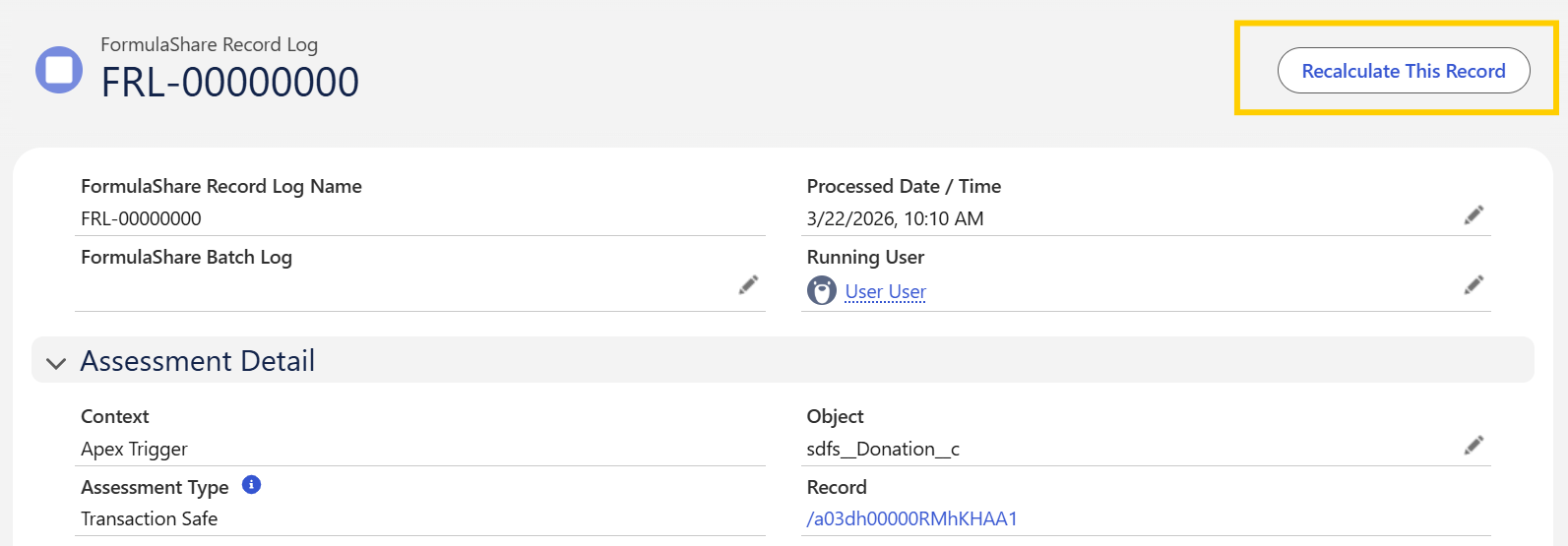
A new action on FormulaShare Record Log records allows you to trigger reprocessing of sharing directly, without waiting for a scheduled batch. This is useful when investigating sharing issues or verifying that a correction has taken effect.
Rule-Specific URLs
Rules now have unique, shareable URLs. This makes it straightforward to link directly to a specific rule from documentation, support tickets, or internal communications.
Aligned Rule Selection Labels with Salesforce Terminology
Selection labels used when configuring FormulaShare rules have been updated to match standard Salesforce UI terminology. For example, "Name of Public Group" is now "Group Name or Queue Name" -- consistent with how these fields are labelled in Salesforce Setup. This reduces ambiguity and lowers the risk of misconfiguration.
Case-Insensitive Matching for Public Groups
Public Group names are now normalised before matching is applied in sharing rules. This prevents failures caused by inconsistent capitalisation across environments -- for example, a group named "EMEA Sales" in production but "Emea Sales" in a sandbox will now match correctly.
Additional Changes
- Ability to set Sharing Removal Strategy at rule level for custom objects
- Performance optimisation when retrieving shared object types during sharing processing through caching of describe calls
- Improved null handling to avoid deployment failures in edge cases
- Various bug fixes and stability improvements
Upgrade Information
Spring '26 is version 5.0 of the FormulaShare managed package.
- Production automatic upgrades: 15 May 2026
For details on upgrading, see Release Upgrades.
If you experience any issues after upgrading, contact us at formulashare@cloudsundial.com.