
FORMULASHARE ENTERPRISE / UNLIMITED ONLY
FormulaShare captures detailed logs whenever it creates, updates, or deletes managed public groups or queues. These logs give you a complete audit trail of group operations – both those performed during batch reassessment and those triggered in real time when team or user records change.
Log Objects
Group management logging uses three objects, mirroring the structure of FormulaShare's record-level logs:
FormulaShare Batch Log (FormulaShare_Log__c)
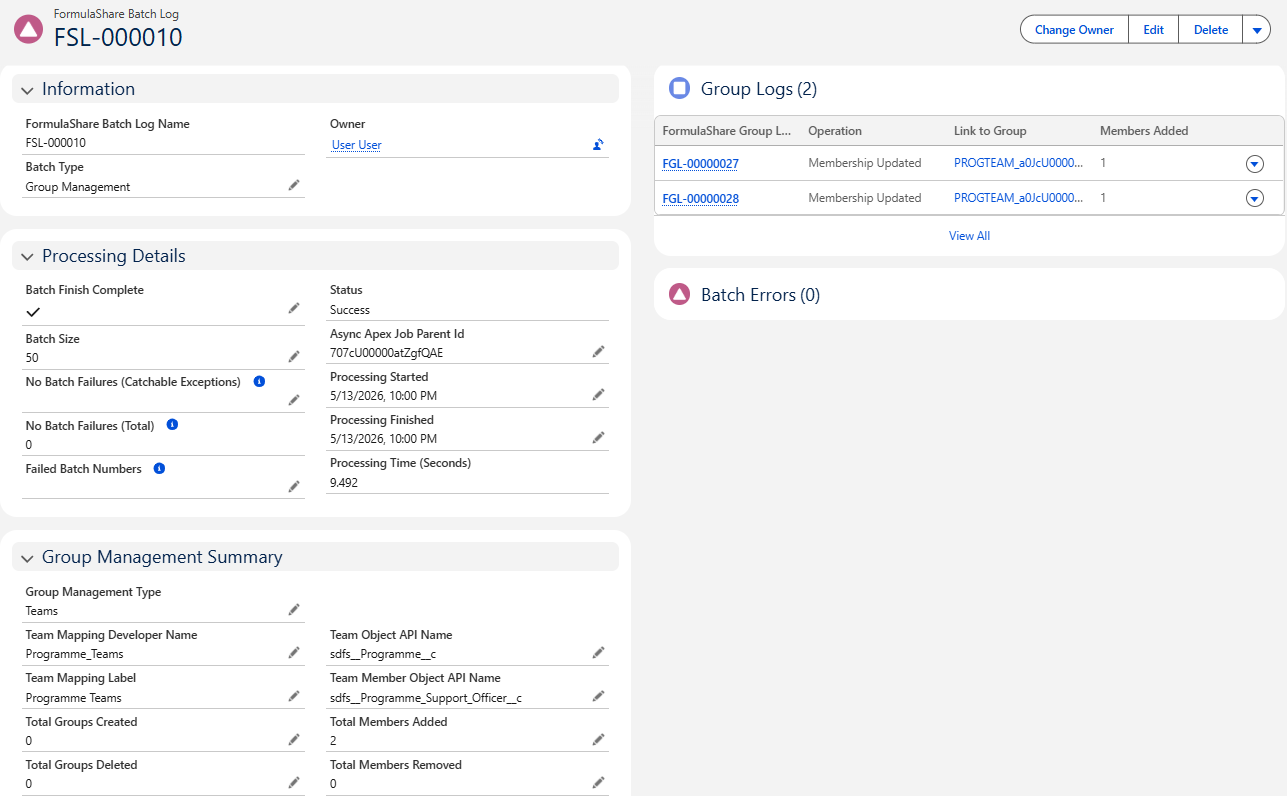
One record is created per user or team mapping type per processing run, representing the overall asssessment of group re-evaluation.
FormulaShare Group Log (FormulaShare_Group_Log__c)
One record is created per group per processing run. For example, if a batch reassessment updates membership for 50 groups, 50 Group Log records are created – one per group.
Processed Group Member (FormulaShare_Processed_Group_Member__c)
One child record per individual member operation within a group. If 5 users were added and 2 removed from a group in a single run, 7 Processed Group Member records are created under that Group Log.
Batch Logs
When group operations are performed during a batch reassessment or an on-demand sync, FormulaShare links each Group Log record to the parent FormulaShare Batch Log via the FormulaShare Batch Log lookup field. This lets you see all group operations that took place within a single batch run and correlate them with the record-level sharing activity in the same job.
The Batch Log record includes a Group Logs related list showing every group that was created, updated, or deleted during that run, together with member counts and status at a glance.
Group Logs
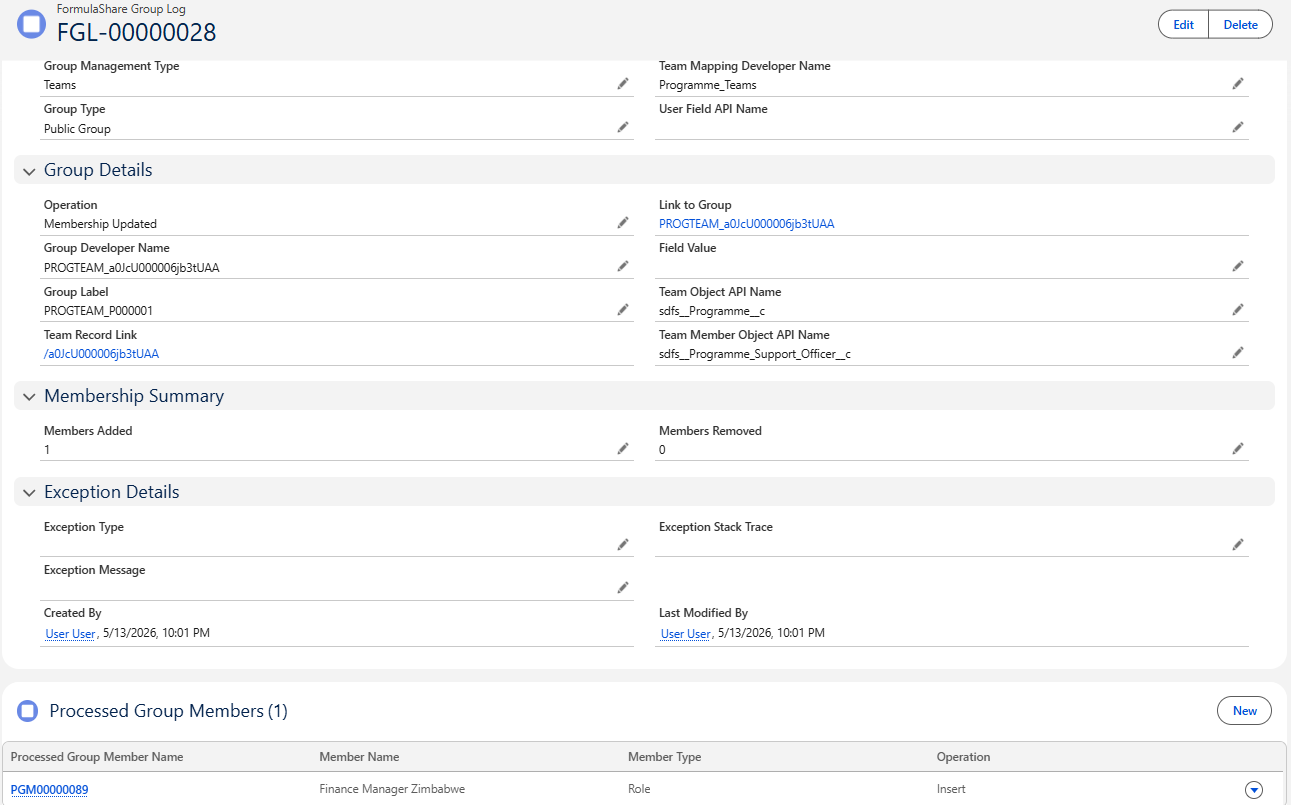
A Group Log record is created for each of the following operations:
- Created – FormulaShare created a new public group or queue for a team record or field value
- Membership Updated – members were added or removed from an existing group
- Deleted – a group was deleted because the corresponding team record no longer exists or the field value is no longer present
Each child Processed Group Member record captures the outcome for one member insert or delete, including the member's name, whether it succeeded, and a reason if it did not.
Key Fields on Group Log
- Team Record Link – a link to the team record associated with this group (team-based groups only)
- Group Label – the human-readable name of the group
- Group Developer Name – the API developer name of the Salesforce public group or queue
- Operation – whether the group was
Created,Membership Updated, orDeleted - Members Added – count of members added during this operation
- Members Removed – count of members removed during this operation
- Context – whether the operation was triggered by a
Trigger(real-time) or aBatchrun - Status –
Successif all member operations succeeded;Errorif any member operation failed - Running User – the user whose transaction triggered the operation (real-time context only)
- FormulaShare Batch Log – a lookup to the parent Batch Log, shown when the operation was performed during batch reassessment
Key Fields on Processed Group Member
- Team Member Link – a link to the team member junction record that led to this member being added or removed
- Member Name – the name of the user or group added or removed
- Member Type – whether the member is a
Useror aGroup(role system groups are added as groups) - Operation –
Insertif the member was added,Deleteif removed - Status –
SuccessorError - Status Reason – the error message if the operation failed
Errors in Processed Group Member Logs
If a member operation could not be completed – for example, because the user no longer exists or a permission restriction prevented the DML – the Group Log status is set to Error and the affected Processed Group Member record includes a Status Reason describing the failure.
Errors during real-time processing (trigger context) indicate that the running user's permissions may be insufficient. See the Permission Requirements section of Trigger Setup for Group Updates for what access is required.
Errors during batch processing indicate an issue with the batch running user's permissions. See the Batch Job Running User section of Team Mappings and Data Model.
Removal of Logs
Group Log and Processed Group Member records are cleaned up as part of the same scheduled retention jobs that manage other FormulaShare logs. Under the default retention settings, these records are kept for 8 days.
To modify the retention period or disable log creation entirely, refer to App-Wide Settings.
Related Articles: