
FORMULASHARE ENTERPRISE / UNLIMITED ONLY
The Team and User Groups section of FormulaShare Setup provides visibility into the public groups FormulaShare manages for Teams and User Field Match rules, and allows you to configure team mappings and trigger on-demand synchronisation.
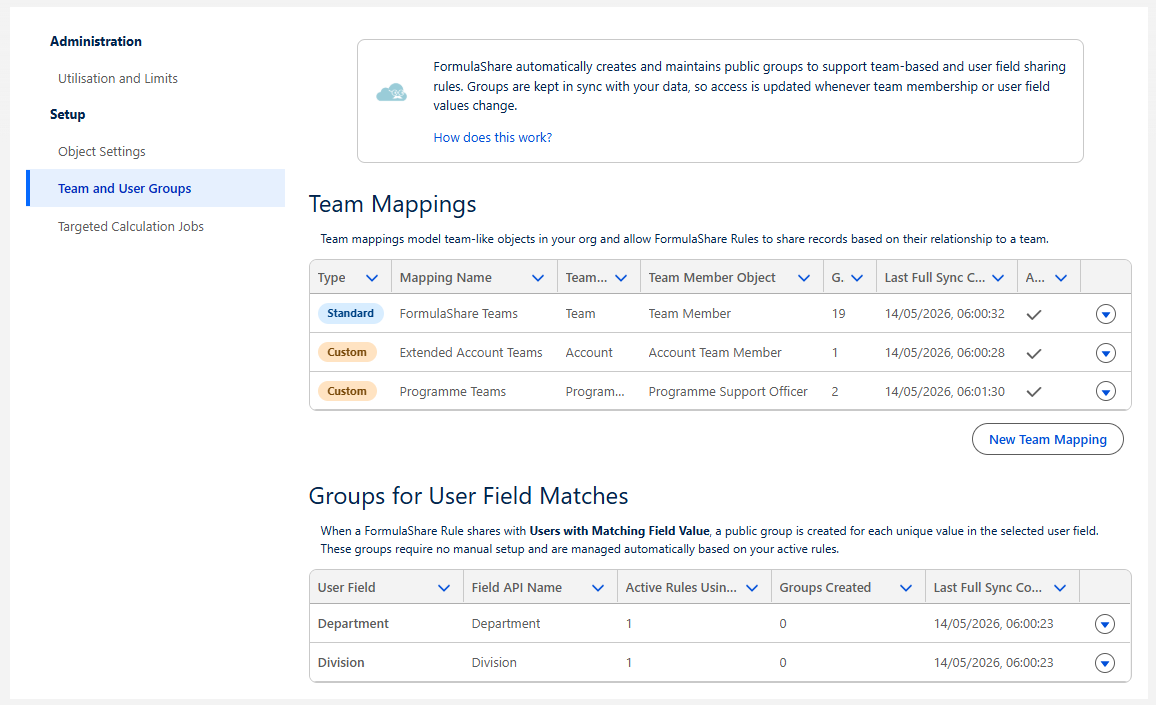
Team Mappings
This section lists all Team Mappings configured in the org. Each mapping connects FormulaShare to a set of objects in your data model which together define teams and team membership.
For each mapping, the following information is shown:
- Type - Whether the mapping represents the standard packaged Teams mapping or a custom mapping to standard or custom objects in the org.
- Mapping Name - The mapping's display name
- Team Object - The object whose records represent teams
- Team Member Object - The junction object linking users to teams
- Groups - The number of public groups currently created for this mapping
- Last Full Sync - The date and time that a complete re-evaluation of groups and members completed
- Active - Whether the mapping is currently in use
Viewing Groups
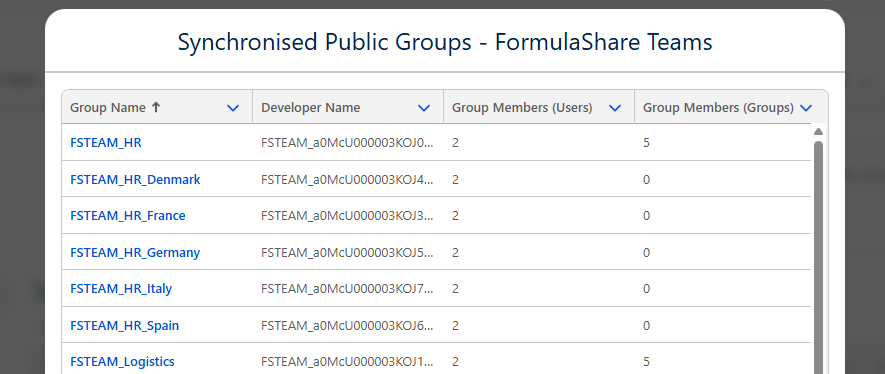
Click into a mapping to view the list of public groups created for it. The group list shows each group's Developer Name, the number of user members, and the number of nested group members.
Synchronise Now
Each Team Mapping has a Synchronise Now button which triggers an immediate full reassessment of groups for that mapping – creating any missing groups, updating memberships, and deleting orphaned groups. This is equivalent to what happens during the daily batch, but runs on demand.
The sync status and last sync time update once the reassessment batch completes.
Creating and Editing Team Mappings
Use the New button to create a new Team Mapping, or click Edit on an existing mapping to modify it.
Note: the Group Name Prefix cannot be changed once groups have been created with that prefix. If you need to change the prefix, delete all existing groups for the mapping first (the next batch reassessment will recreate them with the new prefix).
For a full description of all Team Mapping fields, see Data Model and Team Mappings.
User Field Groups
This section shows a summary of public groups managed for "Users with Matching Field Value" rules.
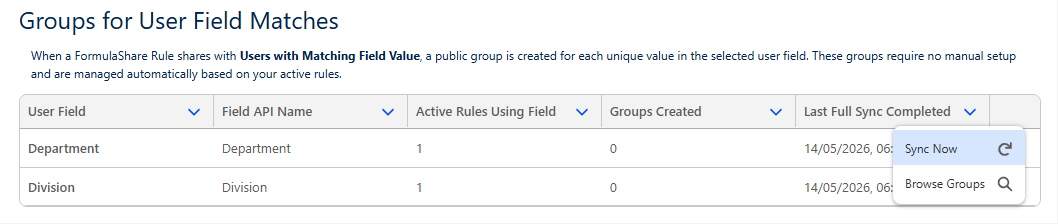
For each User field referenced by an active rule, the following is shown:
- User Field - The label of the User field
- Field API Name - The API name of the field
- Active Rules Using Field - The number of active FormulaShare rules referencing this field
- Groups Created - The number of
FSUSR_public groups currently existing for this field (one per distinct field value across active users)
Synchronise Now
The Sync Now action triggers an immediate full reassessment of all User Field groups – creating groups for new field values, updating memberships, and deleting groups for values that are no longer in use.
Related Articles:
- Data Model and Team Mappings
- User Field Match Rules and Group Management
- Batch Reassessment of Groups
- App-Wide Settings